Showing posts with label HTC. Show all posts

Tuesday, 26 November 2013

Top 6 Benchmark Score Cheating Android devices

Samsung and HTC are making their Android devices' processors run faster than normal when used with certain benchmark applications like Antutu, 3D Mark, etc.

Now one benchmarking company, Futuremark, has delisted a number of smartphones from HTC and Samsung, the reason behind this is that the devices in question are suspected to have cheated on the benchmarks.

The Delisted 6 Benchmark Score Cheating Android devices are:

As yet their is no official statement from Samsung on HTC after their devices have been removed from Futuremark, it will be interesting to see if they respond.

Sunday, 11 August 2013

Reality of Beats Audio by Dr. Dre - Explained and Revealed

Beats Electronics is one of the most overpriced gadgets. The Headphones and speakers from Beats will definitely deliver high-quality sound and the Beats Audio for laptops & mobile phones will also deliver Cristal clear audio quality. In this Article,  I'll talk only about the mobile phones and Laptops which is equipped with the Overpriced gimmick "Beats Audio".

 
In 2011, HP began to offer personal computers equipped with Beats Audio systems.  Then HTC started releasing smartphones  with the Beats Audio, beginning with the HTC Sensation XE/XL with Beats Audio in September 2011. Now all newer HTC phones, such as the Incredible 4G, Rezound, Evo 4G LTE, One series, and 8X also includes Beats Audio.

The Beats Audio in these gadgets is just a software equalizer with a preset. Equalizer is a software which adjusts the amplitude of audio signals at particular frequencies. This is where the Beats Audio's gimmick is.

If you have a phone you might has probably seen an equalizer with various Presets like Bass Boost, Treble Boost, Heavy, Pop, Jazz, classical, etc. These presets are obtained just by varying the audio signals at different frequencies.

The Beats Audio basically has 2 Modes - Beats Audio ON and Beats Audio OFF. Beats Audio ON mode passes higher frequencies well but attenuates lower frequency components and Beats Audio OFF mode passes low-frequency components of signals while attenuating higher frequencies. So when Beats Audio is OFF the audio quality is pretty feeble because attenuation of higher frequencies while the beats Audio is ON, it exaggerates the higher frequencies.


When an average costumer listen some using some audio equipment with Beats audio ON and OFF, definitely feels lot of difference. This huge difference will make people to think that the Gadgets which has built-in Beats Audio is far better than the gadgets without Beats Audio.

The Headphones or Earphones which comes with the Beats Audio enabled gadgets will have their own equalizer which will also passes higher frequencies well but attenuates lower frequency components. When two Higher frequencies pair up you will get much more higher frequencies i.e, much more powerful Audio quality.

But this tech is overpriced, one can get the same or even better audio quality in much lesser prices. Sony's New equalizer ClearAudio+ will deliver studio quality sound which is pretty impressive. There are lot of alternatives for Beats by Dr. Dre and they are worth buying.

If you are thinking to buy a laptop or mobile phones just because it has Beats Audio then you are definitely thinking to get into a trap. Check out for other companies products also before getting into this trap. Don't have Beats Audio as the basic criteria, just look at your needs and get a good gadget.

Like RK WORLD ON FACEBOOK and follow on Google+ for more TECH stuff.

Monday, 3 June 2013

7 Best Accessories for HTC ONE

HTC One, one of best smartphone if 2013. HTC One, with its premium built body and some innovative features has gained popularity across the globe. Accessories of a smartphone helps you to feel better with your Smartphone. Last time we saw 11 Awesome accessories of Samsung Galaxy S4, now let's see the accessories of HTC ONE.


HTC DOUBLE DIP FLIP CASE


Combining its premium slim hard-shell with a protective fabric wrap-around, HTC Double Dip Flip not only offers excellent protection for your New HTC One, but also folds into a landscape stand. So you’ll never have to hold your New HTC One while enjoying your movies, music and games.


HTC DOUBLE DIP CASE

Protect the phone you love without changing its elegant looks. This stylish three-color wrap-around case features a premium hard shell that guards against damage with a front screen overlay.


HTC MEDIA LINK HD

Wirelessly share content from your phone to your high-definition TV with the HTC Media Link HD. It’s quick, convenient, and completely cordless, and allows you to stream your favorite content.


HTC BLUETOOTH STEREO HEADPHONES


HTC STEREO HEADPHONES


HTC BLUETOOTH STEREO CLIP


HTC BATTERY BAR


Tuesday, 26 February 2013

Tutorials to Improve HTC One X Tegra 3 Game performance in Easiest ways


THE WAY IT MEANT TO BE PLAYED

The main cause of lag and drops on the One X is the CPU Ondemand governor which comes as default, this is a heavily optimized governor to save battery and give performance when needed, sadly HTC didn't provide performance profiles for us and so we will have to do it ourselves when it comes to demanding games

Ondemand governor constantly scaling up and down during games seems to spend more battery life and heat, heavy games need the linked Tegra3 CPU/GPU clocks to be a lot more stable and for this governors need to be optimized for the task, what is even more convenient is that we can tell the governor exactly how much CPU load it needs to trigger for speed using Scripts or SetCPU 3.x which gives us the ability to maximize performance in games, in general these tips actually suit all Tegra 3 devices

if you use the solutions in this guide you will be amazed by your One X Tegra 3 abilities

Seeing is believing! checkout the gameplay videos in here

This guide is split in four parts, GAMING BOOST APP, PERMANENT METHODS, QUICK METHODS - Scripts, MANUAL METHODS and FACTS

GAMING BOOST APP METHOD - This app by wilkyyy, henk2484 and myself, does everything in this guide with a single click, a simple, easy and elegant solution, the best and one solution to rule them all

PERMANENT METHODS - These methods will set everything in this guide, using a single init.d script, the boost will stick on your HOX after reboot

QUICK METHODS - Scripts will help you achieve results with the least amount of effort, this should be enough to achieve this guide's goals, for users who like more control

MANUAL METHODS - Will show you how to do things yourselves and tries to explain it along the way, for more advanced users who like to understand how things work and why the performance is capped by default

FACTS - Tries to reveal everything you need to know about Tegra 3 as well as all the related topics, i strongly recommend to at least to have a look at this part to better understand how your One X functions


--------------------------------------------------------------------------------------------------------------------------------
--------------------------------------------------------------------------------------------------------------------------------


GAMING BOOST APP METHOD - Stock Jelly Bean ROM - last updated 4/12/2012

This is currently the best method of them all, this app will does everything in the guide for you in one click and unleash you One X to its full gaming potential with one click, you can turn it off once your are done gaming to conserve battery

Requirements:
- ROOT
- [APP] RENOVATE Gaming Boost JellyBean v1.0

This version was optimized for HTC's stock JB OTA and Kernel, check the Stock HTC JB Kernel 3.14.x.24 review

This version is suitable for most HTC phones including the HTC One X+

PowerSaver mode
With HTC powersaver's CPU mode turned off, the device will use up to 1500mhz single and 1400mhz quad core, sadly for some rare quad enabled games like shadowgun this might cause random performance drops when the game calls the single core 1500 step
Enabling HTC powersaver's CPU mode will lock the device to 1300mhz quad core, effectively its a quad lock but slightly slower with less heat and battery consumption
Experiment with your game to find which mode works best along with game boost

Locking the quad
Simply set the CPU clock to 1400 on boot and it will stick, the powersaver mode will switch between 1300 and 1400, both quad modes without the buggy single core 1500 step
Place the attached 99CPU1400.txt script in etc/init.d folder, remove .txt extension and set all permissions, reboot
If this doesn't work or you are using a kernel without init.d support, simply use SetCPU, change the clock to 1400 and set on boot

Aggressive Performance tip
You can go further if you want to force max possible performance, unlike ICS, JB kernel allows the performance governor to use full quad, so you can enable boost ON and then switch to performance governor using your favorite SetCPU app, with powersaver off the device will use up to 1400mhz quad cores and idle around two cores 1200mhz, with powersaver on it will use up to 1300mhz quad cores and idle around two cores 1200mhz, naturally this tip will cause extra heat and battery drain, once you are done disable game boost and you will switch back to stock ondemand governor

That's it! it's all you need! but you can learn more about the other methods and the One X/Tegra 3 performance related issues/information in the rest of this guide


--------------------------------------------------------------------------------------------------------------------------------
--------------------------------------------------------------------------------------------------------------------------------


GAMING BOOST APP METHOD - Stock ICS ROM - last updated 15/10/2012

This is currently the best method of them all, this app will does everything in the guide for you in one click and unleash you One X to its full gaming potential with one click, you can turn it off once your are done gaming to conserve battery

Requirements:
- ROOT
- [APP] RENOVATE Gaming Boost v2.1

Recommendations:
- DieHard or HardToKill patch
- Custom 2.17 Gaming Kernel, Faux 011 or Franco R21 Currently the best kernels for gaming because of the following features: unlock the GPU to its full 520mhz speed, lock the quad at full speed, latest HTC 2.17 drivers and the latest Nvidia drivers from their NV 3.x repo

warning! due to HTC code, on stock ICS kernels, turning off the screen will reset two vital parameters set by the app so you have to make sure not to turn off the screen between boost and playing a game, the issue is not present on stock JB kernel, Faux or Franco

If you are a Gameloft fan check these extra tips: [FIX] Wild Blood Full Effects v1.0.7 Performance + other GameLoft games - Root

That's it! it's all you need! but you can learn more about the other methods and the One X/Tegra 3 performance related issues/information in the rest of this guide


--------------------------------------------------------------------------------------------------------------------------------
--------------------------------------------------------------------------------------------------------------------------------


PERMANENT METHODS - last updated 15/10/2012

These two methods will do everything for you and unleash you One X to its full gaming potential for good

How to set the gaming boost mode permanently using init.d scripts for Faux or Franco Kernel
Requirements:
- ROOT
- any ROM with init.d support
- Custom 2.17 Gaming Kernel, Faux 011 or Franco R21 Currently the best kernels for gaming because of the following features: unlock the GPU to its full 520mhz speed, lock the quad at full speed, latest HTC 2.17 drivers and the latest Nvidia drivers from their NV 3.x repo

How to set the gaming boost mode permanently using SetCPU 3.x for any Kernel
Requirements:
- ROOT
- Any Kernel including Stock

Recommendations for both methods:
- DieHard or HardToKill patch

That's it! it's all you need! but you can learn more about the other methods and the One X/Tegra 3 performance related issues/information in the rest of this guide


--------------------------------------------------------------------------------------------------------------------------------
--------------------------------------------------------------------------------------------------------------------------------


QUICK METHODS - Scripts - last updated 15/10/2012

Use the listed kernel of your choice repacked for your current ROM, use supercharger in order to free more RAM/set proper application priorities and apply the recommended scripts to boost your CPU

Current tested kernels for gaming with their recommended methods, custom kernels are faster than stock in games:

Faux kernel version 011 + Supercharger & DieHard Patch + Optimized Ondemand Scripts

Franco kernel version R21 + Supercharger & DieHard Patch + Optimized Ondemand Scripts

Stock kernel for base 2.17.401.2 + Supercharger & DieHard Patch + Optimized Stock Ondemand Scripts (stock kernel from this base has a broken multicore in interactive governor)

Stock kernel for base 1.29.401.11 + Supercharger & DieHard Patch+ Optimized Interactive Scripts

That's it! it's all you need but you can learn more about the methods and the One X/Tegra 3 performance related issues/information in the rest of this guide


--------------------------------------------------------------------------------------------------------------------------------
--------------------------------------------------------------------------------------------------------------------------------

MANUAL METHODS - Obsolete

Fixing the severe frame rate dips - Optimized CPU governor - The Way it meant to be played


For base 2.17.401.2 stock kernel and Faux kernels :

- You can use these scripts to simplify the entire process

or do it manually with the following steps:

- Download SetCPU 3.x or System Tuner

- Interactive governor have multi-core trouble on these kernels so leave it with the much improved onDemand

- Go to the governor tab and optimize your onDemand values


For base 1.29.401.11 stock kernel or custom kernels based on 1.28 source:

- You can use these scripts to simplify the entire process

or do it manually with the following steps:

- Set your CPU governor to Interactive using SetCPU 3.x or System Tuner

- Optimize your interactive governor behavior by checking the instructions in here, this is the most important step and will give the best results and completely fix scaling issues

- keep the clocks as they are so not to cause needless heat/consumption, this governor is much more suited for gaming as you start gaming it maintains higher clocks, during normal use i advice to return to onDemand for much better battery consumption and wake up speed, do not run in performance governor otherwise you loose 2 cores

- You can automate this process and set game profiles using SetCpu 3.x, read the instructions in the linked post


This tip is enough for the most part but more memory heavy games like Sonic 4 Episode II and NOVA3/Asphalt7 might need so further memory management tips as described below

----------------------------------------------------------------

Reducing stutter and background processes - SuperCharger Method - Best choice

- You can use Supercharger to optimize your memory management and app priorities permanently

- Install DieHard Supercharger's service.jar patch follow the tutorial on how to use the script

- Using the script set the minfrees, use the most agressive minfrees if you want to optimize for gaming like option 9 but go for little less if you are using SetCPU profiles so not to kill SetCPU background process, you can always change minfrees on the fly, they don't require a reboot

- You can add script manager widgets to switch between your multitasking minfrees values on the fly, using supercharger power-shift scripts

- Play for a while to let the game settle in memory, the more you play the better the performance will get

----------------------------------------------------------------

Reducing stutter and background processes - System Tuner Method - Second best

- If you don't want the complex supercharger method

- You can use System Tuner to quickly set your multitasking minfrees, simply go to the Auto-Kill section and load the most aggressive minfrees, when done gaming you can always restore whatever multitasking values you find best, changing these values happens on the fly and do not require reboot

- Play for a while to let the game settle in memory, the more you play the better the performance will get

this method does not attempt to fix the priorities.

----------------------------------------------------------------

Reducing stutter and background processes - Developer Options Method - Most extreme method and least favored

This is my least favored method since its impractical and the constant reloading of everything might actually cause its own set of trouble but its the only method for non rooted users

- Go to Developer options choose don't keep activities and background process limit to 1, don't set the process limit to non or sometimes games won't load

- Wait for Sense launcher to reload (which means its working since it killing Sense launcher)

- Immediately run your Game

- Play for a while to let the game settle in memory, the more you play the better the performance will get

Some games will not work with this method and fail to boot like MC3

The negative aspects of this trick is that your phone functions are limited during gaming and the battery will drain a bit more on every sense reload, this why you should restore your settings to normal when you are done

----------------------------------------------------------------

Always remember the Following

- Always remember to kill heavy tasks before launching your game, leaving system tuner running in the background probing the CPU might cause stutter

- Remember to restore your Developer options to default, if you want a normal working phone

- Remember to restore the governor to onDemand once you are done to save your battery or rely on SetCPU profiles

- Remember to restore your Minfrees if you want more multitasking, you add script manager widgets to switch minfrees on the fly using the supercharger power-shift scripts

- You can also place an auto sync widget and disable accounts sync during gaming, this helps in reducing the chance of interference with games

- Never game while the phone is charging! unless you want to kill your battery and overheat your device, discharge might happen

- Never lock the minimum clock! unless you want to kill your battery and overheat your device

- If it's On, Disable Force GPU Rendering in Developer options, it might cause issues with some games and apps

Read the following facts to better understand how your One X and Tegra 3 works

--------------------------------------------------------------------------------------------------------------------------------
--------------------------------------------------------------------------------------------------------------------------------

The Facts

Using tegrastats you can see games like Glowball immediately requests and enables the full speed quad mode

On the other hand Sonic 4 Episode 2 fails to run beyond 2 cores and 640/1000mhz which means its not actually demanding full power, in part it's the stock governor but also it's the app's fault, another example is temple run brave which runs around 800-1000mhz sadly this means a low clocked GPU too since the GPU is coupled to the CPU speed on Tegra3

Tegra3 is a quad core 1.5ghz 40nm SOC and so learn to accept its operational temperatures i.e: 45c Battery and 75c CPU during heavy use

Tegra3 is a variable SMP design i.e: It's meant to go in and out into it's thermal maximum and so we should not OC this SOC

No chipset is a created equal, so depending on the yields of Tegra3 you might end up with a cooler or hotter running chip

There is a reason why iOS have a very limited multitasking and consoles have barely any, multitasking is always at the cost of optimal performance, lots of apps in the background will increase heat, battery drain and affects gaming performance on the One X

GPU
The Geforce ULP GPU included in the One X's Tegra 3 (AP33) runs up to 416mhz by default but the clock is linked to the CPU speed i.e: when the CPU clock ramps down so does the GPU

however AP33's GPU is rated 520mhz and so it can be unlocked to it's full speed using custom kernels like Faux and Franco R21

CPU clocks work in the following modes on the One X:
Single core = max 1.5ghz
4 cores = max 1.4ghz will scale down to 1.2ghz after a specified CPU temperature limit

the 1500mhz single core step is the main reason for lag in games since sometimes the CPU governor mistakenly locks into this step causing heavy lag, the method in this guide attempts to bypass this issue

The available CPU governors, each using the cores differently:

onDemand governor
The stock CPU governor on the One X tweaked for better battery life and temperature, however it often ramps down the CPU clocks during game-play which is the one of the causes of bad frame rate, interestingly it seems to have a faster wakeup speed than Interactive governor.
This is the most stable for phone operation and can use all the quads but its suffer in keeping the high clocks in games.
You can control the ondemand scaling behavior and use it to insure higher clocks check this explanation in this post
On base 2.17.401.2 onDemand governor is a lot more agressive in games but still benefits from optimization to reduce frame rate dips

Interactive
Similar to onDemand but responds to your interaction, as long as your using the device it ramps up to full speed.
You can control the interactive scaling behavior and use it to insure higher clocks check this explanation in this post
This governor is supposed to be the best governor for gaming sadly it's bugged since the 1.29.401.9 kernel, it affects custom kernels based on HTC source including Franco and Faux
It keeps getting stuck in single core mode, so stick to optimized OnDemand


Performance governor
Locks 2 cores to 1400mhz and disable 2 cores for safety, perfect for non mp optimized games like GameLoft's but gives reduced performance in quad optimized apps like Glowball and Shadowgun THD

Powersave and Conservative
The best to save battery life and ofcourse they mean compromised performance
They are bugged and sometimes cause reboots in stock kernel

----------------------------------------------------------------

Scripts
you can use these scripts to simplify the entire process, its also the best method since it contains extra optimization
For custom stock 2.17 gaming kernel
For custom Sense friendly kernels like Faux
For custom Sense friendly kernels like Franco
For stock kernel base 2.17.401.2
For stock kernel base 1.29.401.11 or old custom kernels like Faux003b11 & FrancoR12

Custom kernels
Ever since the 1.29 source interactive no longer uses multicore properly in games so we need to stick to optimized ondemand, Faux Kernel 004b6 added the awesome GPU 520mhz step, all these custom kernels will perform a lot better than stock kernels in games, Faux Kernel 010 integrated the new source from the stock 2.17 kerenl which greatly improved temperatures, you can choose between an OC version and stock clocks.
Current best kernels for gaming are Faux Kernel 011 and Franco R21, if you are wondering which one is the best check post #585 and #589, otherwise you can check out the custom stock 2.17 gaming kernel which seems to run wildblood 1.0.7 with full effects better then most

GameLoft Games
Gameloft games are rarely optimized for Tegra 3 devices, check the following tips
[FIX] Wild Blood Full Effects v1.0.7 Performance + other GameLoft games - Root

Need for Speed Most Wanted
This game ran badly out of box on the One X, unlike the Nexus 7 it failed to detect the proper configuration, check the following fix
Need For Speed Most Wanted v1.0.28 for Android - Tegra 3 performance patch + Multiple effects configuration patch

Performance governor for non optimized games
You can try the performance governor which locks at 2 cores and 1400mhz for games that don't use the quad core

Locking the clocks
For certain games you might might want to lock the performance you can raise the minimum clock to 1.0ghz for such games but always remember this risks more heat and to always restore the minimum clock if you dont want to fry your One X
Instead of locking the clocks simply use the gaming boost app/scripts or the safer dual core performance governor

Automating this process
SetCpu 3.x has profiles per app where you can choose a governor for you game, check this post
You can also try Tasker to simplify much of this process, thanks to AJerman for this tips and instructions in here

Rom Cleaner
If you are on stock based ROMs like ARHD and don't care much about all the Sense bloat, you can use Rom Cleaner to de-bloat your ROM, this will free more RAM for gaming and reduce background noise, some users reported few extra fps in benchmarks

Cyanogenmod 9/10
Alternatively if you want your One X totally optimized for gaming, try AOSP ROMs, many games will run smooth without any tweaking, this probably due to the dramatically less bloated ROM and better default CPU configuration, but of course it all depends how you bloat it yourself, you can still use the above tips

Download SD files battery tip
Games with huge SD files will drain your battery during download and heats up the device sometimes, use the Conservative governor during downloads to save your battery

Supercharger
You can control your multitasking and launcher priority using the powerful supercharger script Patch and tutorial in here for the One X

Monday, 21 January 2013

Top 5 Most Expected Mobile phones of 2013

In the year 2013, many expectations have been set up in mobile world. The expectations include FullHD 1080p displays, Flexible displays, Octa core processors, long Battery life, etc. Among those most expected featured mobile phones, I have chosen 5 Top mobile phones.


5. LG Optimus G Pro
        After the selling 1000000 LG optimus G s, LG has started working on its next version which is known as LG Optimus G Pro or LG Optimus G2 is expected to release this fall.

 LG Optimus G Pro features 5” 1080p LCD screen with the pixel density of 441ppi, 1.7GHz quad core Snapdragon S4 processor, 2GB RAM and 13MP Camera. All these high-end specs have created many expectations. Read more about LG Optimus G Pro here.

4. Apple iPhone 5S
           Apple’s iPhone was the most expected mobile phone every year but not this year because of its rivals Samsung Galaxy series phones. Same old design and high price made the Apple iPhone 5 a flop.   

 Apple iPhone 5S or 6 the next iPhone is rumored that it will have 4.8” Indium Gallium Zinc Oxide (IGZO) display, 128GB Storage capacity, NFC, Quad-core processor and 2GB RAM. This Phone is expected to release by June.

3. Samsung Galaxy S4
            Samsung Galaxy S4, the successor of Best Mobile phone of 2012 was expected to be announced in CES 2013 but Samsung didn’t say anything about it. The Success of Samsung Galaxy S4 has created many expectations on Samsung Galaxy S4.

Samsung Galaxy S4 features 4.99” 1080p FullHD screen, Quad-core Exynos 5450 processor clocked @ 2GHz associated with Mali-T658 GPU, 2GB RAM and 13MP camera. The phone is expected to be announced in WMC 2013.

2. Sony Xperia Z
Sony Xperia Z regarded as the Precision Engineered fullHD smartphone. The Phone has set fire in the mobile industry. It was one of the best Gadgets of CES 2013. Sony has put up its best to create this Smartphone. Its wonderful display, tempered glass design, camera with Exmos RS sensor, water and dust proof features makes it best of best smartphone.

Sony Xperia Z features 5” FullHD 1080p display with 441ppi, 2GB RAM, 16GB internal memory and 32GB expandable, 13.1MP camera with 1080p HDR video recording, 2.2MP Front camera, Quadcore 1.5GHz qualcomm processor with Adreno 320 graphics and non-removable 2330mAh battery. The Phone is expected to release in this March and preorder has already begun. Also Some Sources say that Xperia is releasing on Feb 18th only in Europe.

1. Samsung Galaxy Note 3
          Samsung Galaxy Note 3 which I call as monster android Phablet because this phone has got 6.3” big display and 8-core processor. Sony Xperia Z is the made from best of Sony while Samsung Galaxy Note 3 will be made from best of Samsung. Due to the huge success of Samsung Galaxy Note and Samsung Galaxy Note 2 and also because of its extraordinary features Note is the most expected Mobile phone of 2013.

Rumors says that Samsung Galaxy Note 3 features 6.3” 1080p FullHD OMEGA Amoled display, 1.8GHz Exynos 5 Octa processor, 4GB RAM, 16/32GB storage which is expandable up to 64GB, Android 5.0 Key Lime Pie and 5000mAh battery.  The Phone is expected to release sometime in 2013.


This is My list of Most expected mobile phones of 2013. Do you have anything to add to this?

Comment Below or Use my FACEBOOK Page.

Sunday, 30 December 2012

Top 10 Best of the Best Gadgets - 2012

2012, the year in which we found drastic development in Gadgets. We had already listed the Best Android mobile Phones of 2012 , But now we have made a list of Top 10 Best Gadgets of the year which were best in their class, which were sold for best price and mainly which touched the hearts of the people.


Samsung Galaxy S3
 I know what you're thinking. Again. And, again, this smartphone.

Samsung Galaxy SIII, the winner of the Android race 2012 ,even its the best smartphone there is, on any OS. Samsung Galaxy S III the successor of Samsung Galaxy SII is the best selling phone which even overtook the most expected iPhone 5.

 Samsung Galaxy SIII is thinner and flashier than its nearest competitor HTC ONE X+. The Mobile Phone has 4.8" AMOLED screen of resolution 1280x720 with the pixel density of 306ppi.  This screen is protected by Gorilla Glass 2. This combination gives you ultimate pleasure in watching movies and in hardcore gaming.

 The Smartphone king of 2012 is powered by 1.4GHz Quad-core Exynos 4 Processor with Mail-400 GPU and 1GB RAM which is the ultimate combination for Gaming. The storage options like 16/32/64GB and expandable up to 64GB gives you lot of space to store lot of games and movies.

 The biggest testament to the Galaxy SIII's power, though,is Pop Up Play. which allows you to watch a video in one window while simultaneously gaming or browsing in another. Throw in the handset's awesome battery life and the S III is very hard to resist.

Samsung Galaxy SIII's stunning 8MP camera is the best in class which can capture 1080p videos at 30fps and a front 1.9MP camera capable of taking 720p videos.

Now the most impressive thing is the software. Samsung Galaxy SIII comes with Android 4.0 which is spiced with Samsung's TouchWiz UI. The S III intuitively knows when you're looking at it, dimming the display when you look away. It even works with glasses. When you want to switch from text chat to a call just lift your phone to your ear, it will call automatically.


Retina MacBook Pro 15


There’s no mystery to Apple’s overarching approach to designing gadgets: It likes to make ‘em really thin and really light, and it likes to pack in as many pixels as possible. That’s what it did with this high-end laptop, which starts at $2199 and goes way, way up. Its 2800-by-1800 Retina display has nearly five times as many pixels as you’ll get on a more mundane 15” notebook, making for the most ink-on-paper-like images you’ve ever seen on a computer. And as long as you can live with Apple’s less-is-more philosophy — you don’t get an optical drive or Ethernet — this 4.6-lb. aluminum powerhouse is a joy to use.  Those without unlimited funds should take a look at the 13” MacBook Pro with Retina Display, which brings similar features to a machine with a $1699 starting price.


Samsung Galaxy Note II

The Big and Beautiful Phablet Samsung Galaxy Note II is the best multi-tasking phone yet. The phone's  5.55" Super AMOLED display and Samsung's multiscreen features allows you to run many apps at a time via multitasking and Popup Play. The 16:9 screen has resolution of 1280x720 which is best for watching movies and playing games.

 Like the size of the phones its has also got huge power, it is powered by 1.6GHz Quadcore Exynos Processor with 2GB RAM. The phone has storage options as 16/32/64GB + 64GB expandable.

The Best part of the phone is S-pen which is the first in its type which makes Note II unique. the brilliant 8MP rear camera can capture 1080p videos at 30fps and a Front camera of 1.96MP which even capture videos at 720p.


Microsoft Surface with Windows RT


 For 37 years now, Microsoft has built software for other companies’ devices. With the Surface tablet, which starts at $499, it finally designed a PC of its own — one of the sleekest, most ambitious devices ever to run Windows. The magnesium case looks and feels good and the integrated kickstand is beautifully done. And the super-thin magnetic keyboard cover — included with the $599 Surface, or $119.99 on its own —  is way better than on-screen typing. There’s one big catch: Windows RT, Surface’s operating system, needs far more applications before it’s ready to compete with the iPad. But the device itself is so slick that it leaves you rooting for RT to take off.


Nike + FuelBand

It may seem that FuelBand went on sale for a long time, but in fact was the strength of the year, if not less. In our review of the gadget's all written as detailed as possible, and add nothing special to me - he said the steps made to move, can show you the time synchronized via Bluetooth with a variety of devices and long running in standalone mode. If you want a normal thing to keep track of the activity, without FuelBand not do.

Sony Cyber-shot RX100

Sony’s $649.99 camera looks handsome and fits in your pocket. Nothing remarkable about that. But the pictures it takes are exceptional: Sony stuffed a one-inch sensor inside the RX100’s trim case, letting it take much, much nicer snapshots than even better-than-average point-and-shoot cameras. If you want to take photos with a bokeh effect — a razor-sharp subject in front of a pleasingly blurred background — and don’t want to deal with a bulky digital SLR or Micro Four-Thirds camera, this is the model you want. Low-light performance is also outstanding.

iPhone 5

Apple may be responsible for more than its share of the tech industry’s great leaps forward, but it’s at least as good at fussing over the tiny little details other companies ignore. The iPhone 5, which starts at $199 with a two-year contract, is one of the most artfully polished gadgets anyone’s ever built, with a taller screen than previous iPhones built into a thinner, lighter case. The camera, with a particularly well-done panorama mode, is another highlight. There are lots of nifty smartphones out there, including the iPhone’s impressive archrival, Samsung’s Galaxy S III. But when it comes to melding hardware, software and services so tightly that the seams fade away, Apple still has no peer.

Nokia Lumia 920

If you suddenly want to step back away from all of the current trends, stand out, tired of "Galaxy" and "iPhones", there is one gadget that appeared this year. Just for those who are fed up with everything. This Nokia Lumia 920. The device can not be called the best, so as to buy is not easy - the deficit. Not because of sour cream, but because very few deliver. Here Windows Phone, a good camera, interesting design, most importantly, it is a toy for the rare enthusiasts willing to buy something for the sake of interest to technology. May be willing to support their favorite group. Help financially. Participate. In the end, you can estimate the risks and benefits, to think, to buy Samsung Galaxy SIII, or iPhone 5 at the same time and the Nokia 1280 (just in case). And so it will help.


Nokia 1280

Ideal second phone and the best phone Nokia this year, there is a place and design, and functionality, and price is one of the best, only 700 rubles! No problems with the synchronization, installation programs and other nonsense, here simply do not need to synchronize and set the program. Let's hope next year to make the model Nokia Nokia 1280i, adding there is one game or xenon lamp.

Nest

Is it possible to love a thermostat? Yes, if it’s Nest — the brainchild of Tony Fadell and Matt Rogers, two former Apple employees who brought along everything they learned designing iPods when they formed a startup to build a $249 “learning thermostat.” With its round stainless steel case, color touchscreen and elegant software, Nest has Apple-like panache. More important, it can help you save energy and money: It uses a motion sensor to crank down your HVAC system when you’re not at home, and encourages you to keep the temperature just a tad warmer or cooler than usual if it’ll conserve energy. Rarely has anything so mundane been so engaging.

Tuesday, 25 December 2012

Top 10 Android Phones of 2012 - Pros and Cons

Android, world's best mobile operating system which is the life many mobile phones in the world. We present you 10 best mobile phones out of them. These mobile phones are the Fastest, Smartest, Powerful, Beautiful and finally the ultimate phones of the year 2012.


10 . ZTE Grand X

ZTE Grand X is the 4.3" big screened Budget phone with 960x540 resolution, Android ICS 4.0 and with the dual core 1GHz Tegra 2 Processor. The mobile phone has 512MB RAM and 1.5GB storage expandable upto 32GB. Its has a good 5MP rear camera which an capture videos at 720p and a 0.3MP front camera.

Pros :  Budget phone, best for watching movies because of big screen.

Cons : Screen isn't most responsive and not good for gaming.


9. HTC One V

Vibrant, Solidly Built and snapper-friendly, the HTC One V is the one of the finest budget phones around.The Phone has 3.7" screen with resolution of 800x480. HTC ONE V is powered by single-core Qualcomm Snapdragon S2 processor cloaked at 1GHz and with 512MB RAM. Android ICS with sense 4. HTC ONE V has 4GB storage expandable upto 32GB.

Pros : Best Budget phone. HTC sense 4, better battery and design. Good performance and responsive Touch screen.

Cons : Camera is not so good. No NFC support.

8. Sony Xperia P

Sony xperia P, a sibling of Sony's NXT series mobile phones. Sony Xperia P has a 275ppi 4" TFT screen with resolution of 960x540 with the Bravia Engine. Its flavored Android 4.0 ICS and powered by 1Ghz Dual-core cortex processor. The phone has 1GB RAM and storage of 16GB. Xperia P's 8MP camera can capture 1080p videos @30fps and it also has a VGA front camera good for video calling.

Pros : The clear plastic panel at the base makes the phone sexy. Good connectivity options with HDMI-out port and NFC. Budget phone with High-end features.


Cons : No expandable memory options and lack of PlayStation certification.


7. Motorola RAZR i

Motorola RAZR i, the phone which brought back Moto into the Android Race. Motorola RAZR i has a 4.3" Super AMOLED advanced display with the resolution of 960x540 pixels. The phone comes with 2GHZ INTEL Atom Z2460 processor with 1GB RAM. Android ICS 4.0 and storage of 5GB with expandable upto 32GB . Motorola RAZR i has a 8MP rear and a 0.3MP front camera.

Pros : 4.3" qHD display, a good 8MP camera , NFC and motorola's smart actions.

Cons : Single cored 2.0Ghz processor has reasonable power but no so good for playing high-end games.


6. LG Optimus 4X HD

LG Optimus 4X HD a big show off big Budget phone with 4.7" 720p screen with IPS technology has screen resolution of 1280x720 and pixel density of about 312ppi. The smart phone is poered by 1.5Ghz quadcore Tegra 3 processor and 1GB RAM. The Phone has storage of 16GB and its expandable upto 32GB.

Pros : A big HD 720p screen and quad-core tegra power. The phone is best for Gaming.

Cons : Poor battery life. Design and User interface could have been better.


5. Sony Xperia T
Sony Xperia T, knows as the BOND phones is truly a worthy successor of Sony Xperia S. Sony Xperia T has the best 4.55" TFT screen with resolution of 1280x720 and 323ppi pixel density. The Bond phone is powered by Dual-core Qualcomm Snapdragon processor cloaked at 1.5Ghz and has 1GB RAM which makes it much faster. Android 4.0 ICS is in it.

Sony Xperia T has got 16GB storage+32GB microSD. the best part of the 007 phones is 13MP rear camera which captures every moment of your life in crystal clear quality which can capture videos of 1080p@30fps.

Pros : Super display, super Camera, powerful processor and beautiful design. Sony Xperia T is PlayStation certified.

Cons : Tegra 3 games won't support. No quad-core processor.


4. Samsung Galaxy Note II

The Big and Beautiful Phablet Samsung Galaxy Note II is the best multi-tasking phone yet. The phone's  5.55" Super AMOLED display and Samsung's multiscreen features allows you to run many apps at a time via multitasking and Popup Play. The 16:9 screen has resolution of 1280x720 which is best for watching movies and playing games.

 Like the size of the phones its has also got huge power, it is powered by 1.6GHz Quadcore Exynos Processor with 2GB RAM. The phone has storage options as 16/32/64GB + 64GB expandable.

The Best part of the phone is S-pen which is the first in its type which makes Note II unique. the brilliant 8MP rear camera can capture 1080p videos at 30fps and a Front camera of 1.96MP which even capture videos at 720p.

Pros : Ultimate display, Ultimate performance, 2 days battery backup by 3100mAh battery, S-pen and design and even more.

Cons : Big size which is hard to handle.


3. HTC ONE X+

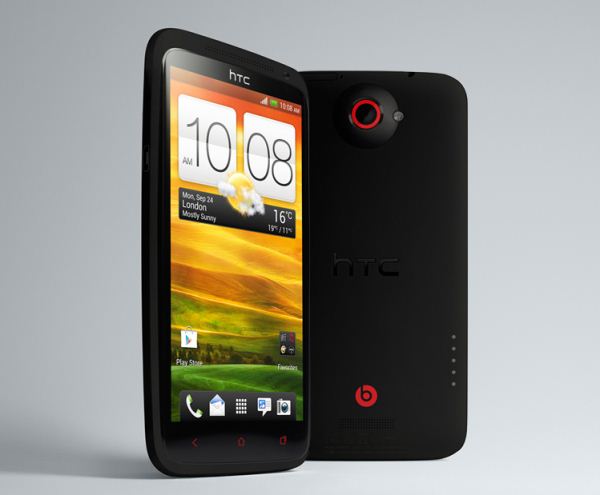
HTC ONE X+ a brilliant phone which has improved battery life tahn its successor HTC ONE X. The mobile phone has a 4.7" 1280x720 LCD 2 display. It is powered by the fastest 1.7GHz NVIDIA Tegra 3 processor with 1GB RAM. HTC ONE X+ comes with Android jelly Bean 4.1 with HTC Sense 4+ which makes the Best UI.

A super fast 8MP camera with burst mode, 1080p video and picture-in-video is brilliant. The front camera of 1.6MP is ideal for video calls. Its has a non-expandable 64GB storage.

Pros : Good Battery life. NVIDIA tegra 3 which is the best for Gaming. High resolution screen and many more.

Cons : No expandable memory, camera is not as good as Samsung Galaxy S3.


2. LG Google Nexus 4


Google Nexus 4 , World's Most Powerful Smartphone yet the cheapest. The Phone is powered by 1.5GHz Quad-core Qualcomm Snapdragon S4 processor , Adreno 320 Graphics and 2GB RAM which gives it ultimate power and best performance in any High end Game.

Nexus 4 comes with Android Jelly Bean 4.1 which even gets the direct software updates from google. This is the phone where we get the real feel of Android.

The Nexus 4's 8MP rear camera gives the Samsung Galaxy S III's camera a run for its money, with similarity bright results in daylight, in lower light, the Nexus 4  actually has the edge, offering better night vision skills. Video is disappointing, though footage is anything but smooth.

Pros : Big Screen, pure google experience, superb camera and ultimate performance. Low price.

Cons : Very less storage capacity which is even not expandable. Low battery backup. Body design is not up to the mark.


1. Samsung Galaxy S III


 Samsung Galaxy SIII, the winner of the Android race 2012 ,even its the best smartphone there is, on any OS. Samsung Galaxy S III the successor of Samsung Galaxy SII is the best selling phone which even overtook the most expected iPhone 5.

 Samsung Galaxy SIII is thinner and flashier than its nearest competitor HTC ONE X+. The Mobile Phone has 4.8" AMOLED screen of resolution 1280x720 with the pixel density of 306ppi.  This screen is protected by Gorilla Glass 2. This combination gives you ultimate pleasure in watching movies and in hardcore gaming.

 The Smartphone king of 2012 is powered by 1.4GHz Quad-core Exynos 4 Processor with Mail-400 GPU and 1GB RAM which is the ultimate combination for Gaming. The storage options like 16/32/64GB and expandable up to 64GB gives you lot of space to store lot of games and movies.

 The biggest testament to the Galaxy SIII's power, though,is Pop Up Play. which allows you to watch a video in one window while simultaneously gaming or browsing in another. Throw in the handset's awesome battery life and the S III is very hard to resist.

Samsung Galaxy SIII's stunning 8MP camera is the best in class which can capture 1080p videos at 30fps and a front 1.9MP camera capable of taking 720p videos.

Now the most impressive thing is the software. Samsung Galaxy SIII comes with Android 4.0 which is spiced with Samsung's TouchWiz UI. The S III intuitively knows when you're looking at it, dimming the display when you look away. It even works with glasses. When you want to switch from text chat to a call just lift your phone to your ear, it will call automatically.

Pros : Ultimate Screen, Battery, processor, camera , storage and the software will lot of features.

Cons: The Size of the smartphone is huge, people with small hands fell uncomfortable with it. Many hardware and software problems has been reported. Over Heating.
           Same old Mali-400 GPU of SII and just 1 GB RAM.


 This is our list of top 10 Android phones of 2012.

Monday, 29 October 2012

HTC 8X - Only windows phone with Beats Audio

Saturday, 15 September 2012

How to Enable 3D on the HTC EVO 3D and Evo V whenever you want


Sunday, 2 September 2012

HTC Accord will run on Windows Phone 8

Saturday, 16 June 2012

HTC One H Nvidia Tegra 4 Phone with 1080p Display

HTC One H Nvidia Tegra 4 Phone Has a 1080p Display